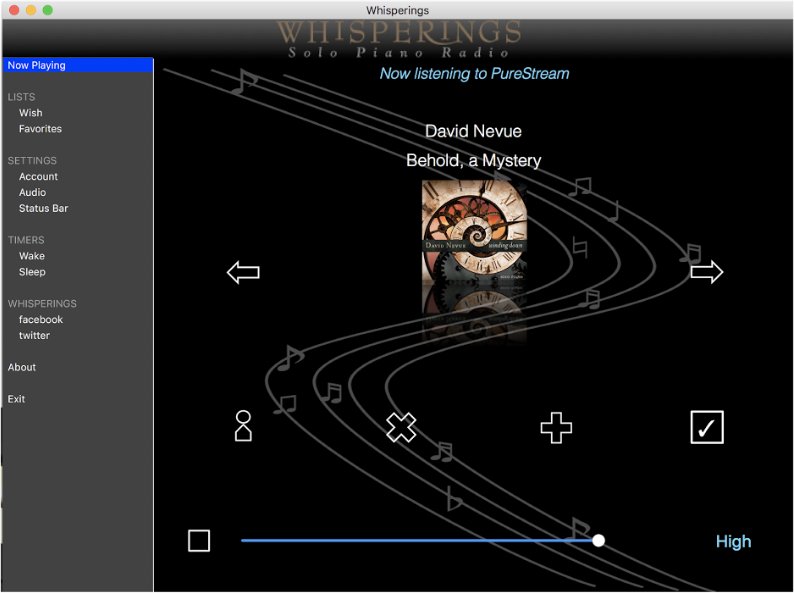
The App for Mac Desktop
See Also: iPhone, iPad, iPod Touch, Android
First, know that you do not *need* the desktop app to access Whisperings from a Mac. You can tune in just fine via your Mac's web browser. The Mac Desktop app just gives you an option for tuning in direct from the desktop rather than the browser PLUS it provides a few additional features...
- Incredible, fast, one-on-one customer support for the app... direct from the app developer.
- The status bar information is also configurable so you can see only the information you want to see.
- Configurable sleep timer that will gradually fade the music volume and shut down the app.
- Configurable wake timer that will start the music and slowly fade up the volume.
- A "wish list" that lets you save info about the songs you love in case you want to purchase them later.
- Visit iTunes to purchase and download the current song or songs saved in your lists.
- One-click login for Whisperings PureStream subscribers (PureStream subscription sold separately).
- Redirect music to any device that supports Apple's Airplay such as Apple TV.
- Settings to control stream quality.
- Free upgrades to all future versions!
The Mac Desktop App
Find out more and/or download the app right here .
See Also: iPhone, iPod Touch, iPad, Android